Melanie Sumner is a software engineer, specializing in digital accessibility.
We talked about her path to engineering, accessible design, Ember.js, and the
importance of funding these efforts.
 Alexandra Klepper [GitHub](https://github.com/alexandrascript) [Bluesky](https://bsky.app/profile/alexandrascript.com)
*This post highlights a community expert, as a part of [Learn Accessibility!](https://web.dev/learn/accessibility.md.txt)*
> [!NOTE]
> **Note:** Read Melanie's writing on [her process for accessibility testing](https://melsumner.github.io/accessibility-testing) and [getting started with accessibility](https://melsumner.github.io/getting-started-with-accessibility).
**Alexandra Klepper**: Thanks for joining me! Who you are and what you do?
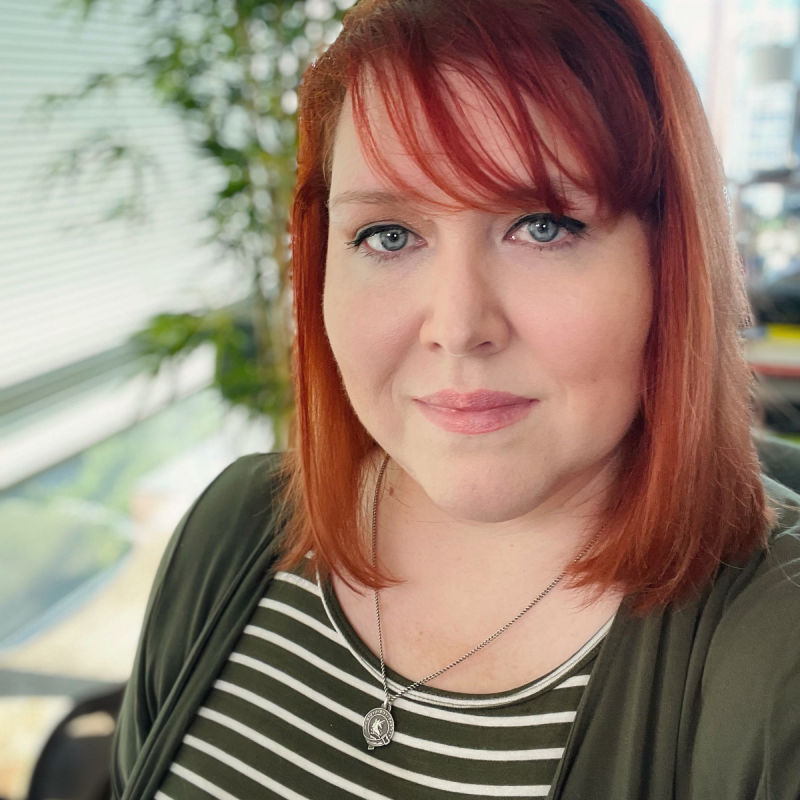
**Melanie Sumner**: My name is Melanie Sumner and I am a software engineer
specializing in digital accessibility. I've been writing code for the web for
25 years. My first career was... kind of a spy. I was an intelligence analyst in
the US Navy, and coding was my hobby.
I didn't really like being a spy. I wasn't fond of death, it turns out. As most
people are not, when they have to be closer to it. I had to decide what I
wanted to do next, and it was time to turn my hobby into my career. In the last
10 years, I've really focused on software engineering in the accessibility
space, specifically.
**Alexandra**: You don't often hear, "Oh first I was a spy." No big deal. What
brought you into accessibility work?
**Melanie**: I was working at the University of North Carolina \[UNC\] Chapel
Hill at the time, in the Department of Development. They don't mean development
like web development, they mean development like fundraising.
My direct manager had a vision impairment, and he had to zoom everything to
400% to see it. He was a fantastic software engineer. Probably the best manager
I've ever had, actually. But he was always breaking my stuff, because he would
zoom in to look at my work. If I hadn't thought about building things
responsively, they would break.
My manager's boss was blue colorblind. I don't know if you know what UNC blue
looks like, but it's this [light sky blue color](https://identity.unc.edu/brand/color-palette/).
And they *loved* using it on white.
**Alexandra**: (laughs) Oh no.
**Melanie**: His boss was always complaining that he could never see my work! I
had to develop a set of complementary colors and a color scheme for our sites.
That got me thinking about color contrast and thinking about how people who are
colorblind (or otherwise visually impaired) use the web.
Because UNC is a state university, there's a
[US federal requirement](https://www.section508.gov/develop/applicability-conformance/)
to conform with WCAG accessibility level AA. We aimed for level AAA because
it's an education institution.
> [!WARNING]
> **Try it:** Take the Learn Accessibility module [How is digital accessibility measured?](https://web.dev/learn/accessibility/measure.md.txt) to read more about WCAG conformance levels.
As I learned more about the state and federal requirements and began reading
the [W3C Accessibility spec](https://www.w3.org/TR/WCAG21), I thought, "All of
this makes sense." Most of the web wasn't compliant, from what I could see. Of
course, people have been working on web accessibility for as long as the web
has existed. Sometimes JavaScript engineers (in particular) are a little slow
on the uptake when it comes to digital accessibility.
I call accessibility the final frontier of the web. Lots of good people work on
automation for accessibility---and we need to work on solutions the same
way that we've approached other hard problems, such as performance and security.
**Alexandra**: You've probably read a lot of long complex documents, in the
Navy and at UNC. Did you find it was challenging to understand the spec?
**Melanie**: I had to read it about five times before I understood it---and
I'd read other specs before. I always tell people, don't feel bad if you don't
understand it, because I had to read the spec five times! I'm not even joking.
It takes a lot of time to get used to spec language. And if you don't interpret
it correctly, you might do the wrong thing. Also it's important to understand
that a lot of the spec language is meant for browser developers. Look for
"authors should," because that's a reference to web developers.
**Alexandra**: A lot on the web could be better if more developers knew how to
decipher the specs.
**Melanie** : There's a lot to be said for sites that do that interpretation for
you. I built [a11y-automation.dev](https://a11y-automation.dev/) and that site
is kind of like my baby, my side project. I try to itemize every accessibility
violation and link it to the WCAG success criteria in question. If there's
automation to prevent the error, I'll offer that solution.
You could familiarize yourself with the list of potential violations, but more
important is learning how to fix it. For automated fixes that don't exist,
maybe you're inspired to write a linter or a template---maybe you get
inspired to write some kind of test.
I prefer to work in open source, because you get to kind of riff off each
other, offer an improvement (sometimes an improvement, sometimes not, but we
all try our best). We build on each other's stuff, and then we end up with this
really great outcome for the web.
## How to fund accessibility
> [!TIP]
> **Tip:** Learn about the [business impact](https://web.dev/learn/accessibility/why.md.txt#business_impact) of building accessible websites.
**Alexandra** : I was really drawn to
[pleasefunda11y.com](http://pleasefunda11y.com). It's really important to get
developers to learn how to build accessible sites, but they won't always have
the resources without having executive leadership funding and approval. Why did
you decide to build this site?
**Melanie**: I was frustrated because accessibility is so underfunded. All of
the open source funding seems to keep going to CSS. And I love CSS, we can do
so much with it.
I built the site because [Addy Osmani](https://twitter.com/addyosmani)---a
Chrome software engineering manager---reached out and said he saw I was
asking for accessibility funding, but he wanted advice on what specific work
could be funded. That's a big problem: open source funders want to give money
to specific projects, not general ideas that have no determined outcome. I took
some time to write down some specific initiatives, what's needed and how
they'll help make sites accessible.
Even if companies build towards these efforts without me, we could move
accessibility on the web forward in a really significant way. It's a very small
spend by comparison to other web efforts, and it would have a huge impact on
people's lives.
The current way of thinking is often, "Well, how many people have a
disability?" It should be: "What is any person's relationship to their
technology?"
And some folks have told me, "Well, I don't think color blindness is a
disability." You may not identify yourself as having a disability if you're
colorblind, but it does affect your relationship with technology.
15
~%~
people self-identify as disabled.
~[Source](https://www.who.int/teams/noncommunicable-diseases/sensory-functions-disability-and-rehabilitation/world-report-on-disability)~
253
~m~
people with visual impairments.
~[Source](https://www.ncbi.nlm.nih.gov/pmc/articles/PMC5820628/)~
39
countries with web accessibility law.
~[Source](https://www.w3.org/WAI/policies/)~
Learn more about the statistics in the first module for Learn Accessibility: [What is digital accessibility, and why does it matter?](https://web.dev/learn/accessibility/why.md.txt)
**Alexandra**: Tell me more about understanding your relationship with
technology. How does that relate to accessibility?
**Melanie**: For example, if you are neurodiverse, maybe you need really simple
language and very clear directions. You may be better served navigating through
three or four screens in a flow, making a few choices at a time until you get
to the end. There's not good guidance for modern technical applications.
We have whole companies that do devops, and if you try to use some of those
websites, you're like, "Oh my god," you know? We try to pack the kitchen sink
into all of our interfaces these days.
**Alexandra**: Can you share an example?
**Melanie**: For example, GitHub has dropdowns with nested tabs. And
\[exasperated sigh\]. I can't get upset (even if I'm frustrated). The modern web
has to grow to meet new demands. But we also have a responsibility to build in
a way that doesn't leave people behind.
That's what drives me, that's my passion. I don't want somebody to not be able
to get a job because the tools they'd have to use at the job are not accessible.
**Alexandra**: One hundred percent. And people often think about building
accessible products for their external users, but not necessarily thinking
about their employees.
**Melanie**: I thought, you know what, this funding advice would probably
benefit everyone.
I hear from engineers all the time that they'd love to do accessibility but "my
company doesn't care." I bet they do care! You just need to bridge the business
logic gap. Show them the beneficial outcome for the business. The [site is open
source](https://github.com/MelSumner/please-fund-a11y), of course, and I love
contributions and edits.
**Alexandra**: Accessibility is often left to the end of the process, like, "Oh
we can just make this accessible later." But it's going to take a lot more time
to add it later than it would to integrate accessible practices throughout the
project.
**Melanie**: I often say, "Do you want to pay to build it once or do you want
to pay to build it twice?"
## Ember.js and the core accessibility team
**Alexandra**: I know you're also involved in the Ember.js framework core team.
How did you get involved?
**Melanie**: I was hired to work at JPMorgan Chase, on their corporate
investment banking platforms. Ember is a heavy duty JavaScript framework used
when you need a really stable (maybe even kind of boring) base, that can help
you avoid writing code that loses a lot of bank dollars. Ember has a backwards
compatibility guarantee---you can upgrade every time, even if you hit a
major version. We really try to do things incrementally, so it doesn't break
your app.
Anyway, I showed up to an Ember conference, and I met a bunch of people in the
community. Ember folks were so kind. And there's
[a really strong code of conduct](https://emberjs.com/guidelines/) that I just
hadn't seen yet in other places.
When I got out of the military, I wanted to go into security. I went to an
infosec meetup, and didn't see any other woman there. One of the older guys
looked at me and said, "Are you sure you're in the right room, sweetheart?"
**Alexandra**: \[Groans\] It hurts. And it's completely unsurprising. I've
experienced something similar.
**Melanie**: I want to say this was 2011, maybe 2012? The landscape has changed
a lot. I stayed that night, through that meetup, to prove a point. I wasn't
gonna let that comment shut me down. I cracked jokes, took good notes, and
participated in the conversation, so people knew I was there. I feel like a lot
of my career has been proving men wrong.
But, I don't want women to become software engineers just to prove men wrong. I
wanted to be a software engineer to build amazing things, because it's fun to
do. Women should have that career option.
**Alexandra**: Absolutely.
**Melanie**: I shared what I knew about accessibility with the Ember community,
because obviously as a banking platform, you have to conform to the US federal
requirements. Yehuda Katz and Tom Dale said, "We have a gap on the team. We
have a lot of JavaScript experts, performance experts, people out-of-this-world
smart, and we need someone with accessibility knowledge." And they invited me
to join the core team.
I'm working on initiatives to help make Ember accessible by default. That means
when you say `ember new `, you should immediately pass WCAG
success criteria.
**Alexandra**: I saw a long list of accessibility tools for Ember on GitHub.
Have you found that people in the Ember community are excited to contribute to
those tools?
**Melanie**: That's been a really exciting part of this work. I wrote
accessibility linting rules for Ember while working at LinkedIn. Then I left
LinkedIn to work for Hashicorp, and other folks are still contributing to the
linter because it's useful for them. That's the part of this work that gives me
chills and gets me excited.
We accept that, as a baseline, accessibility is a civil right. That's not up
for discussion.
What we discuss is: What can we implement? When? How do we make it? How do we
teach this and make it backward compatible? How do we help developers provide
accessibility support without a huge extra feature that they have to build or
plan for?
**Alexandra**: Accessibility is a civil right. That gives me chills! It
should just be a thing we all know as truth.
**Melanie**: I've had people say uninformed things to me, like "I wouldn't use
the internet if I was blind." Or, "Why do I have to think about disabilities
when it's only 5% of my users, when it's working for 90% of my users?" I won't
have those discussions, because they're often used to distract from the work.
When you write accessible code, you're going to get performance boosts because
you're thinking about building sites informed by W3C specs. You'll use the
semantic HTML instead of just divs, and you'll use headings. You'll choose a
`