


تساعد اختصارات التطبيقات المستخدِمين في بدء المهام الشائعة أو المقترَحة بسرعة داخل تطبيق الويب. وسيؤدي الوصول بسهولة إلى هذه المهام من أي مكان يظهر فيه رمز التطبيق إلى تعزيز إنتاجية المستخدِمين وزيادة معدّل الاهتمام بالتطبيق.
الطريقة الحديثة
تحديد اختصارات التطبيقات في بيان تطبيق الويب
يتم استدعاء قائمة اختصارات التطبيقات من خلال النقر بزر الماوس الأيمن على رمز التطبيق في شريط المهام (في نظام التشغيل Windows) أو في شريط الإرساء (في نظام التشغيل macOS) على سطح مكتب المستخدِم، أو من خلال النقر مع الاستمرار على رمز مشغّل التطبيق على أجهزة Android.
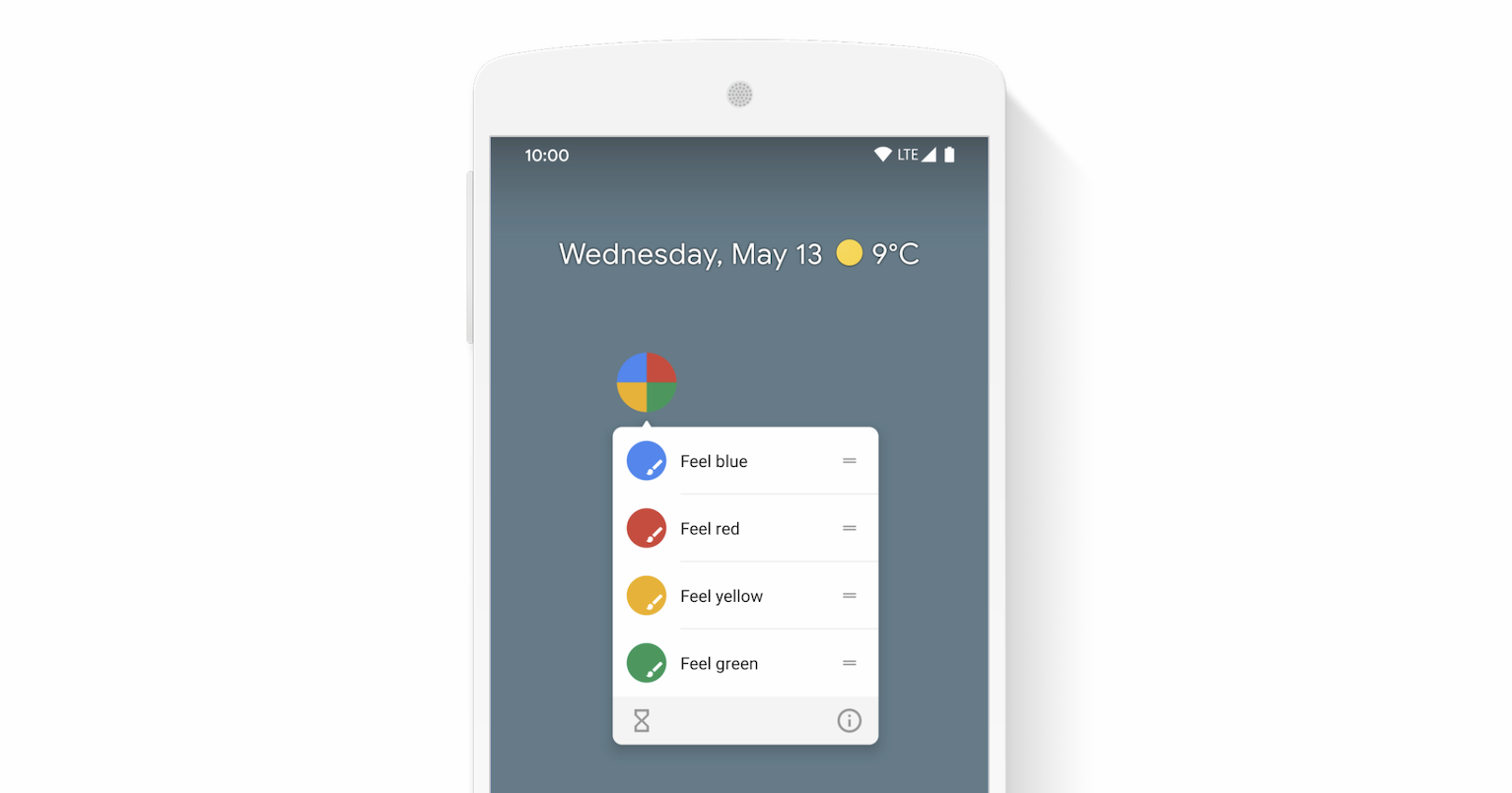
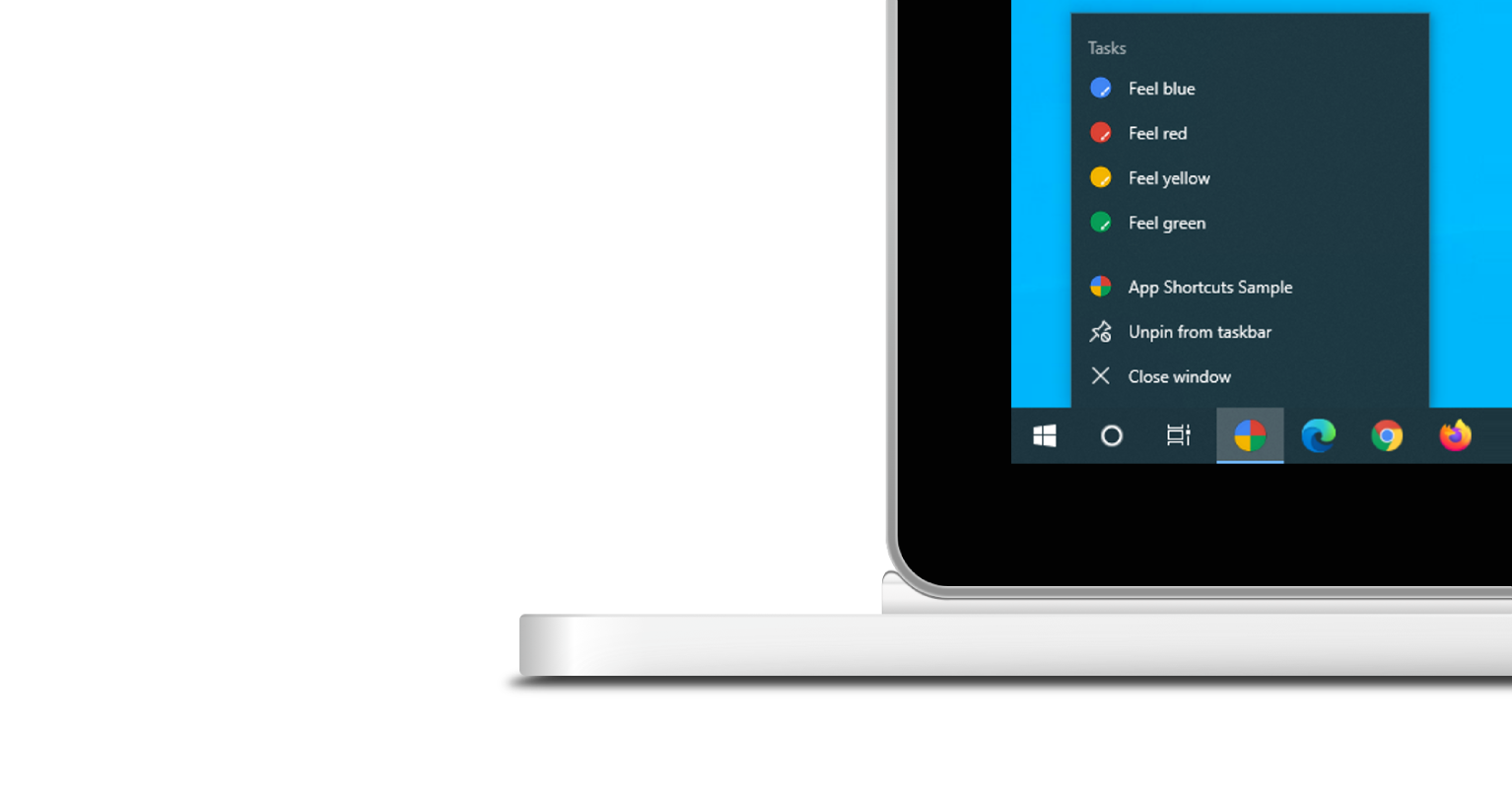
لا تظهر قائمة اختصارات التطبيقات إلا لتطبيقات الويب التقدّمية المثبَّتة. يمكنك الاطّلاع على مقالة التثبيت في وحدة Learn PWA للتعرّف على متطلبات إمكانية التثبيت.
يعبّر كل اختصار تطبيق عن نية المستخدم، ويرتبط كل هدف بعنوان URL ضِمن نطاق تطبيق الويب. ويتم فتح عنوان URL عندما يفعِّل المستخدِم اختصار التطبيق.
يتم اختياريًا الإعلان عن اختصارات التطبيقات في العضو shortcuts من مصفوفة بيان تطبيق الويب. في ما يلي مثال على بيان محتمل لتطبيق ويب.
{
  "name": "Player FM",
  "start_url": "https://player.fm?utm_source=homescreen",
  "shortcuts": [
    {
      "name": "Open Play Later",
      "short_name": "Play Later",
      "description": "View the list of podcasts you saved for later",
      "url": "/play-later?utm_source=homescreen",
      "icons": [{ "src": "/icons/play-later.png", "sizes": "192x192" }]
    },
    {
      "name": "View Subscriptions",
      "short_name": "Subscriptions",
      "description": "View the list of podcasts you listen to",
      "url": "/subscriptions?utm_source=homescreen",
      "icons": [{ "src": "/icons/subscriptions.png", "sizes": "192x192" }]
    }
  ]
}
الطريقة الكلاسيكية
السماح للمستخدِم بسحب الروابط إلى شريط الإشارات
إذا لم يكن التطبيق مثبَّتًا بعد، يمكنك أن تطلب من المستخدِم سحب بعض الروابط من صفحة الويب وإفلاتها في شريط الإشارات في المتصفّح. وبهذه الطريقة، يمكنه بدء المهام الشائعة أو المقترَحة بسرعة داخل تطبيق الويب.
محتوى إضافي للقراءة
عرض توضيحي
HTML
<!DOCTYPE html>
<html lang="en">
  <head>
    <meta charset="utf-8" />
    <meta name="viewport" content="width=device-width, initial-scale=1" />
    <meta name="color-scheme" content="dark light" />
    <link rel="manifest" href="manifest.json" />
    <title>How to create app shortcuts</title>
    <!-- TODO: Devsite - Removed inline handlers -->
    <!-- <script>
      if ('serviceWorker' in navigator) {
        window.addEventListener('load', () => {
          navigator.serviceWorker.register('sw.js');
        });
      }
    </script>
    <script type="module" src="script.js"></script> -->
  </head>
  <body>
    <h1>How to create app shortcuts</h1>
    <ol>
      <li>
        You can drag these <a href="blue.html">blue page</a> or
        <a href="red.html">red page</a> links to the bookmarks bar
        and access them later.
      </li>
      <li>
        Install the app by clicking the button below. After the installation,
        the button is disabled.
        <p>
          <button disabled type="button">Install</button>
        </p>
      </li>
    </ol>
  </body>
</html>
JS
        // The install button.
const installButton = document.querySelector('button');

// Only relevant for browsers that support installation.
if ('BeforeInstallPromptEvent' in window) {
  // Variable to stash the `BeforeInstallPromptEvent`.
  let installEvent = null;

  // Function that will be run when the app is installed.
  const onInstall = () => {
    // Disable the install button.
    installButton.disabled = true;
    // No longer needed.
    installEvent = null;
  };

  window.addEventListener('beforeinstallprompt', (event) => {
    // Do not show the install prompt quite yet.
    event.preventDefault();
    // Stash the `BeforeInstallPromptEvent` for later.
    installEvent = event;
    // Enable the install button.
    installButton.disabled = false;
  });

  installButton.addEventListener('click', async () => {
    // If there is no stashed `BeforeInstallPromptEvent`, return.
    if (!installEvent) {
      return;
    }
    // Use the stashed `BeforeInstallPromptEvent` to prompt the user.
    installEvent.prompt();
    const result = await installEvent.userChoice;
    // If the user installs the app, run `onInstall()`.
    if (result.outcome === 'accepted') {
      onInstall();
    }
  });

  // The user can decide to ignore the install button
  // and just use the browser prompt directly. In this case
  // likewise run `onInstall()`.
  window.addEventListener('appinstalled', () => {
    onInstall();
  });
}