


Os atalhos de apps ajudam os usuários a iniciar rapidamente tarefas comuns ou recomendadas no seu app da Web. O acesso fácil a essas tarefas em qualquer lugar em que o ícone do app seja exibido aumenta a produtividade dos usuários e o engajamento deles com o app da Web.
A maneira moderna
Definir atalhos de apps no manifesto do app da Web
O menu de atalhos de apps é invocado clicando com o botão direito do mouse no ícone do app na barra de tarefas (Windows) ou no Dock (macOS) na área de trabalho do usuário ou tocando e mantendo pressionado o ícone na tela de início do app no Android.
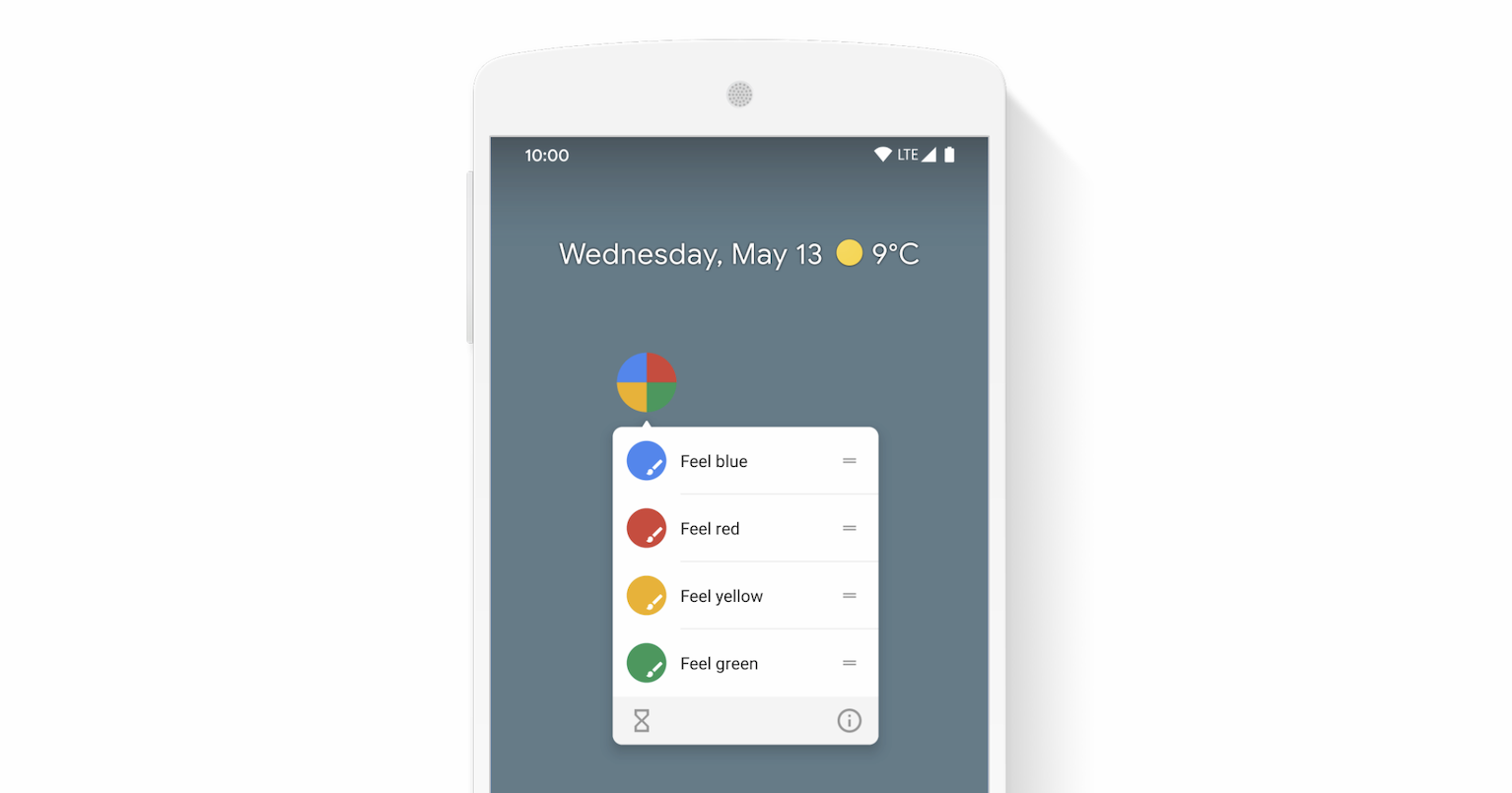
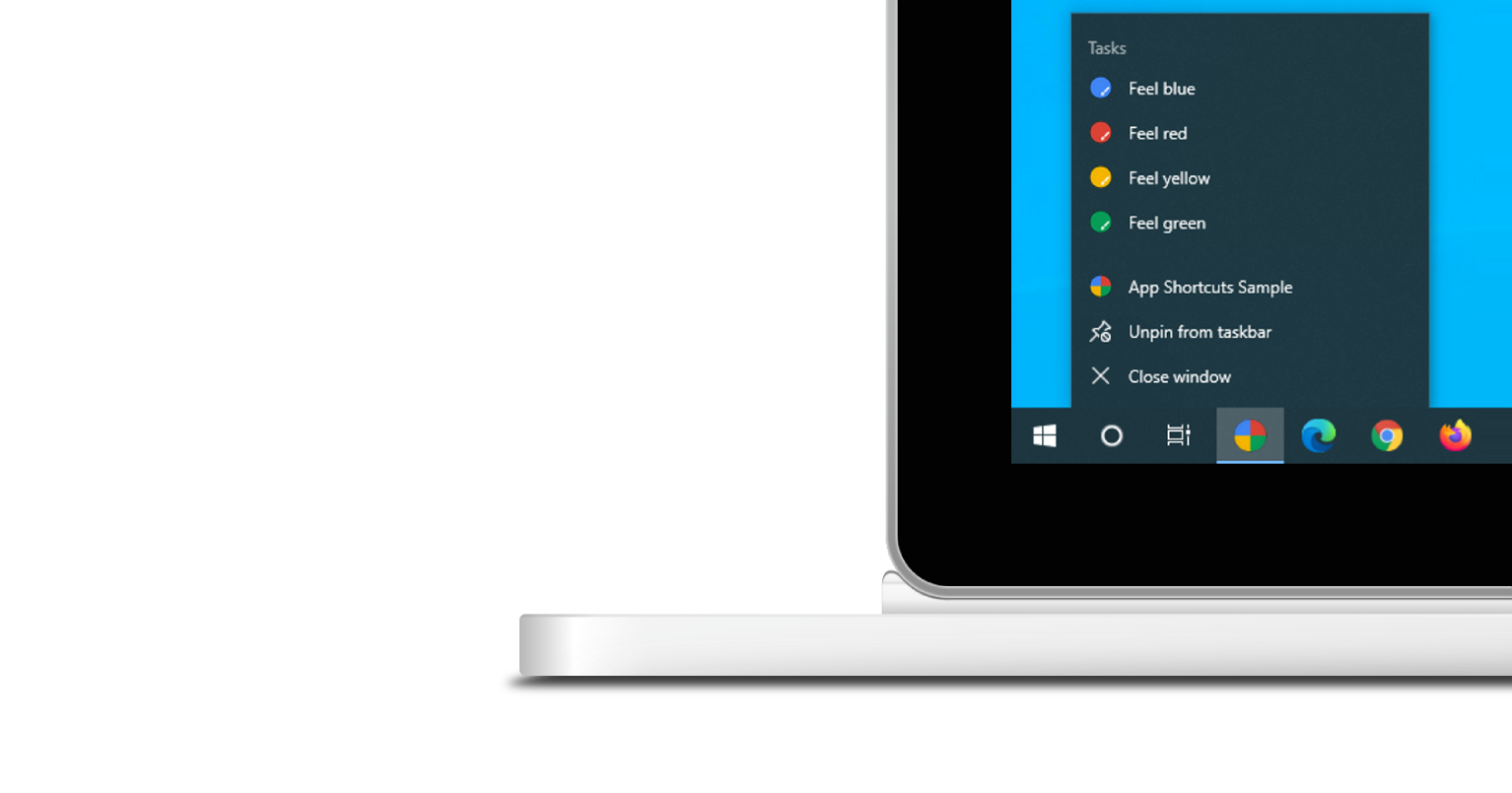
O menu de atalhos de apps é mostrado apenas para PWAs instalados. Confira a instalação no módulo "Aprenda sobre PWAs" para saber mais sobre os requisitos de instalação.
Cada atalho de app expressa uma intenção do usuário, cada uma associada a um URL no escopo do seu app da Web. O URL é aberto quando um usuário ativa o atalho do app.
Os atalhos de apps são declarados opcionalmente no membro da matriz shortcuts do manifesto do app da Web. Confira abaixo um exemplo de manifesto do app da Web.
{
  "name": "Player FM",
  "start_url": "https://player.fm?utm_source=homescreen",
  "shortcuts": [
    {
      "name": "Open Play Later",
      "short_name": "Play Later",
      "description": "View the list of podcasts you saved for later",
      "url": "/play-later?utm_source=homescreen",
      "icons": [{ "src": "/icons/play-later.png", "sizes": "192x192" }]
    },
    {
      "name": "View Subscriptions",
      "short_name": "Subscriptions",
      "description": "View the list of podcasts you listen to",
      "url": "/subscriptions?utm_source=homescreen",
      "icons": [{ "src": "/icons/subscriptions.png", "sizes": "192x192" }]
    }
  ]
}
A maneira clássica
Permitir que o usuário arraste links para a barra de favoritos
Se o app ainda não estiver instalado, você poderá sugerir que o usuário arraste alguns links da sua página da Web e os solte na barra de favoritos do navegador. Dessa forma, ele pode iniciar rapidamente tarefas comuns ou recomendadas no seu app da Web.
Leitura adicional
Demonstração
HTML
<!DOCTYPE html>
<html lang="en">
  <head>
    <meta charset="utf-8" />
    <meta name="viewport" content="width=device-width, initial-scale=1" />
    <meta name="color-scheme" content="dark light" />
    <link rel="manifest" href="manifest.json" />
    <title>How to create app shortcuts</title>
    <!-- TODO: Devsite - Removed inline handlers -->
    <!-- <script>
      if ('serviceWorker' in navigator) {
        window.addEventListener('load', () => {
          navigator.serviceWorker.register('sw.js');
        });
      }
    </script>
    <script type="module" src="script.js"></script> -->
  </head>
  <body>
    <h1>How to create app shortcuts</h1>
    <ol>
      <li>
        You can drag these <a href="blue.html">blue page</a> or
        <a href="red.html">red page</a> links to the bookmarks bar
        and access them later.
      </li>
      <li>
        Install the app by clicking the button below. After the installation,
        the button is disabled.
        <p>
          <button disabled type="button">Install</button>
        </p>
      </li>
    </ol>
  </body>
</html>
JS
        // The install button.
const installButton = document.querySelector('button');

// Only relevant for browsers that support installation.
if ('BeforeInstallPromptEvent' in window) {
  // Variable to stash the `BeforeInstallPromptEvent`.
  let installEvent = null;

  // Function that will be run when the app is installed.
  const onInstall = () => {
    // Disable the install button.
    installButton.disabled = true;
    // No longer needed.
    installEvent = null;
  };

  window.addEventListener('beforeinstallprompt', (event) => {
    // Do not show the install prompt quite yet.
    event.preventDefault();
    // Stash the `BeforeInstallPromptEvent` for later.
    installEvent = event;
    // Enable the install button.
    installButton.disabled = false;
  });

  installButton.addEventListener('click', async () => {
    // If there is no stashed `BeforeInstallPromptEvent`, return.
    if (!installEvent) {
      return;
    }
    // Use the stashed `BeforeInstallPromptEvent` to prompt the user.
    installEvent.prompt();
    const result = await installEvent.userChoice;
    // If the user installs the app, run `onInstall()`.
    if (result.outcome === 'accepted') {
      onInstall();
    }
  });

  // The user can decide to ignore the install button
  // and just use the browser prompt directly. In this case
  // likewise run `onInstall()`.
  window.addEventListener('appinstalled', () => {
    onInstall();
  });
}